01
Install LM Studio and choose a local model
Set up LM Studio on your Mac and choose the model that fits your workload.
Import PDFs, spreadsheets, text files and entire folders. Webita Wiki AI builds a private knowledge base you can query with AI, without sending your documents to public AI services.
Free beta · Apple Silicon · Signed and notarized app · LM Studio required
Before downloading, read the terms of use and the Webita Wiki AI licence.
 Webita Wiki AI
PDFs, spreadsheets, notes, folders and archives often scatter the context. Webita Wiki AI turns them into a private AI knowledge base for people who want faster retrieval without moving files off their Mac.
Question
“Dove trovo il passaggio sul processo interno e il file corretto?”
Answer
“La procedura è nel manuale operativo importato nella Wiki e la risposta va verificata sui riferimenti citati.”
Sources used: manuale-operativo.pdf · procedura-team.xlsx
LM Studio is required because it provides the local AI model. Webita Wiki AI sits on top of that stack with a transparent and verifiable workflow.
Set up LM Studio on your Mac and choose the model that fits your workload.
Organize separate Wikis by project, team, client or document collection.
Add single files or full folders and let indexing build the knowledge base.
Query in natural language and check which documents support the answer.
Documents, indexing, OCR and the AI model run on the user Mac for stronger operational control.
Answers still need review, but they can point back to the files and passages used.
Folder import, progressive indexing, local OCR and chat history for each Wiki.
Webita Wiki AI
On the user Mac
Typical cloud workflow
On external infrastructure after upload
Webita Wiki AI
Local and separated by Wiki
Typical cloud workflow
Centralized on the external service
Webita Wiki AI
More direct and inspectable
Typical cloud workflow
Depends on the external platform
Webita Wiki AI supports PDFs, including scanned PDFs through OCR, plus text files, markdown and the main spreadsheet formats.
To query contracts, reports, procedures and client documentation without manual file hunting.
To turn manuals, internal knowledge and operational files into a private AI knowledge base.
To work across mixed materials, verify sources and keep multiple document sets separate.

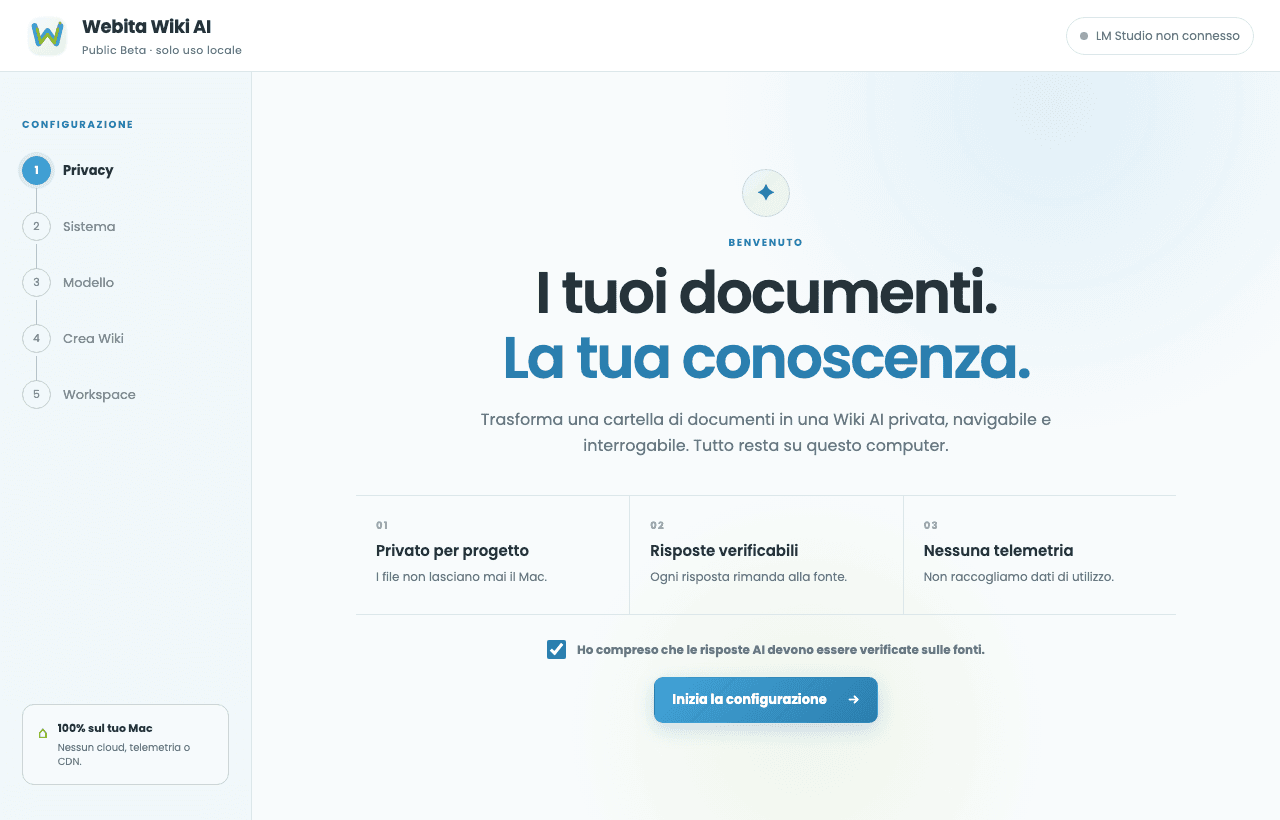
The interface stays bright, clear and readable: separate Wikis, visible import progress and saved chats for every archive.
Download the free beta of Webita Wiki AI and start querying your documents with a local AI model.
Version
0.1.0-beta.1
Operating system
macOS 13 or later
Supported chips
Apple Silicon M1-M4
DMG size
About 6.8 MB
Signing and notarization
Developer ID Application: Giorgio Sanna · Apple notarized
AI requirement
LM Studio installed locally
Webita designs AI tools, knowledge bases and custom automations for companies and professional teams.
No. The app is designed to work locally on the user Mac without sending documents to public AI services.
Yes. LM Studio is required because it provides the local AI model used by Webita Wiki AI.
You can use models compatible with LM Studio and run them locally. The right choice depends on your Mac resources and workload.
At the moment the available beta is for Apple Silicon Macs M1-M4.
PDF, TXT, Markdown, CSV, TSV, XLS, XLSX, XLSM, XLSB and ODS. Scanned PDFs can be read through local OCR.
Yes, through local OCR when needed.
Yes. The app supports full-folder import as well as single files.
Yes. Webita Wiki AI keeps chat history for each Wiki so work can be resumed and answers compared later.
Yes. Version 0.1.0-beta.1 is released as a free Mac beta.
At the moment the Mac version is available. A Windows version may be evaluated in the future, with no promised date.
Consulting, automation and custom AI tooling for companies and professionals.
An introductory path to better understand models, workflows and practical applications.
A free tool that complements the work on content, sites and performance.
Talk to Webita if you need a private AI solution built around your processes.