n8n consulting: design reliable workflows across APIs, CRM and AI
A guide to evaluate and realize automations with n8n: processes, API, webhook, security, error management, maintenance and use cases.
Webita AI
Bring AI and automation into workflows with a practical approach
From lead qualification to internal workflows, build AI systems that are useful and measurable.
Indice: What is n8n and when it makes sense to use it
Let’s discuss your project
If this resource touches a strategic topic for your business, get in touch and we can evaluate the next steps.
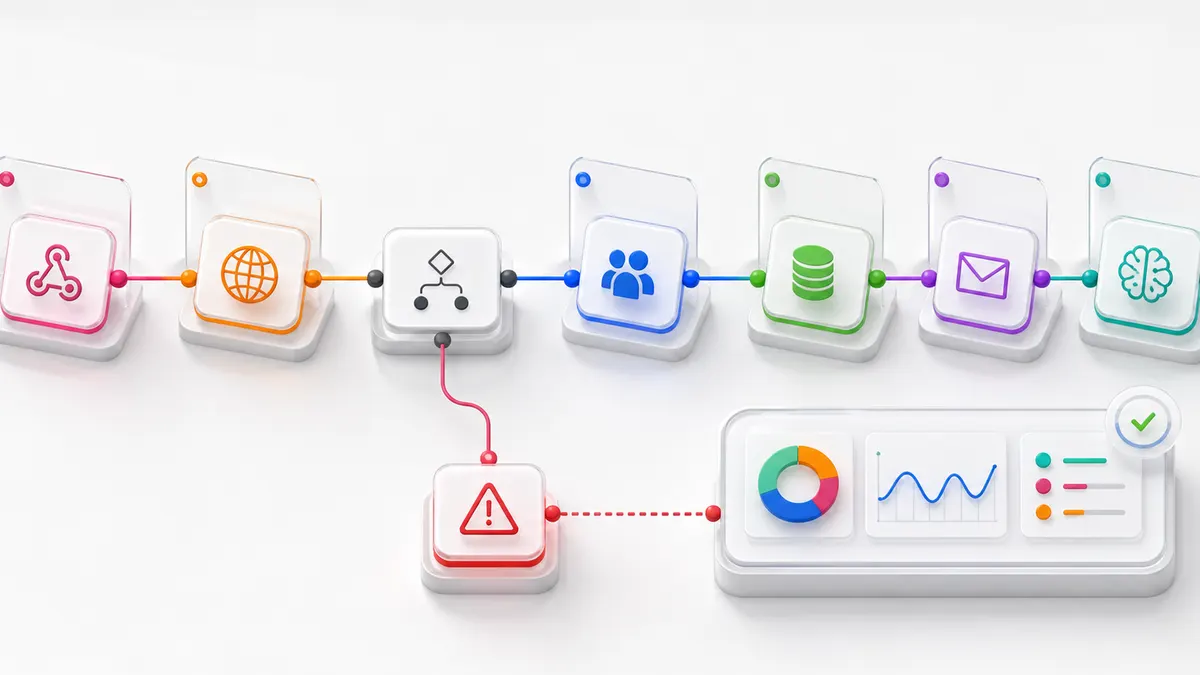
A n8n advice should not begin by dragging knots on a canvas. First you need to understand the process, the systems involved, the quality of data and what must happen when a step fails. n8n is a flexible tool for connecting applications and APIs, but reliability depends on the architecture of the workflow and its management over time.
This resource helps to assess when n8n is suitable, how to bring automation into production and what responsibilities should not be delegated to a simple visual flow.
What is n8n and when it makes sense to use it
n8n is a workflow automation platform that connects applications, databases and services through nodes, webhooks and API requests. It can be used on n8n Cloud or in self-hosted mode, with different levels of operating control.
It is suitable when a process has defined rules, accessible data and repeatable integrations. Examples:
- receive a form and create a record in CRM;
- sync data between SaaS and database;
- generate notifications and activities based on events;
- prepare periodic reports;
- enrich or classify data with AI services;
- connect WordPress, email, sheets and internal APIs;
- coordinate steps that today require copy and paste.
The fact that integration is possible does not mean that it is convenient. Frequency, volume, latency, criticality and availability of API determine the choice.
Counselling starts from the process
Before drawing the workflow you must document initial event, input, rules, output, owners and exceptions. It is useful to observe the real process, not only the ideal procedure: duplicates, missing fields, delays and manual steps explain where automation can fail.
An initial map should answer these questions:
- who generates the data and with what consent;
- which system is its primary source;
- what transformations are necessary;
- what requires human approval;
- as you recognize a duplicate;
- who receives a mistake and how it solves it;
- how long logs and payloads must be kept.
APIs, webhooks and credentials
APIs allow controlled exchanges; webhooks react to events without constantly questioning a service. A solid design verification authentication, request limits, pageing, timeout, data format and behavior in case of partial response.
Credentials should not be clearly inserted in the nodes or logs. They are managed with the functions of the platform and with minimum access required. In self-hosting, encryption, backup and separation of environments become operational responsibility of the team.
Error handling: workflow must know how to fail
Automation in production cannot stop silently. Every critical call should distinguish temporary errors, invalid data and business conditions. Retry should be used when the operation is safe to repeat; otherwise they risk creating duplicate orders, emails or records.
Useful Patterns include:
- idempotent identifiers to avoid double executions;
- error branches with sufficient context;
- code or wait for API limits;
- dead-letter or logs for unprocessed items;
- notifications with severity and owner;
- controlled replay procedures.
Logging and monitoring
Keeping everything indefinitely is not a strategy. Logs must allow you to reconstruct an execution without exposing unnecessary data. It is useful to record identifier, time, status, system, error and next action, applying retention consistent with privacy and operational needs.
Monitoring should observe failed executions, duration, backlog, abnormal volumes and credentials expiry. A “green” workflow can still produce wrong data: result checks are needed, not only lack of technical errors.
n8n Cloud or self-hosted
n8n Cloud reduces infrastructure work and can speed up startup. Self-hosting provides greater control over network, data and configuration, but requires updates, backup, security, ability and observability.
The choice depends on processed data, internal integrations, compliance requirements, competences and operational availability. Self-hosted doesn’t mean automatically safer: an unupdated or badly exposed instance increases risk.
WordPress, CRM, email and database
n8n can coordinate publication, form, lead, ticket, email and archives. However, it is necessary to avoid bidirectional synchronization without a primary source. If two systems can change the same field, rules of conflict and tracking of versions are required.
For WordPress, webhook or API can activate revisions, distribute content or update data. The Webite Guide on n8n and Open-WA shows a specific example; a company project also requires security, maintenance and channel policy control.
Integrate AI without losing control
An AI model can classify requests, extract fields, sum up text or propose an answer. The output remains probable and should be treated with thresholds, validation and alternative paths. High-impact operations may require human approval.
Prompt, model, sent data and result should be versioned when affecting a process. The page Web site AI describes the operational approach to artificial intelligence for companies.
When not to use n8n
n8n is not always the best solution. Simple native integration can cost less to maintain. Processes with extremely low latency, very high volumes or complex transational logic may require dedicated software. Non-standard activities and full of exceptions must first be redesigned.
It is not necessary to automate a wrong procedure only because it is repetitive. The first result of counselling can be a simplification, not a workflow.
Phases of a project n8n
- Process and system analysis.
- Definition of requirements, risks and responsibilities.
- Prototype with controlled data.
- Testing of normal cases, errors and duplicates.
- Configuration of credentials, logs and alerts.
- Gradual release and comparison with the previous process.
- Documentation and training of operators.
- Maintenance, updates and periodic revision.
One AI advice and Webite automation can translate a process into a documented, integrated and monitorable workflow, avoiding automation depend on implicit knowledge.
Frequently Asked Questions
How much does a n8n counseling cost?
It depends on number of systems, quality of APIs, exceptions, volumes, safety and maintenance requirements. A simple prototype and critical workflow with environments, monitoring and support have different commitments. The estimate requires a map of the process.
Can n8n connect to any software?
It can connect to many applications via nodes or APIs. If a system does not offer APIs, webhooks or data access, integration may be limited or fragile. Documentation, authentication and limitations must be verified before the project.
Better n8n Cloud or self-hosted?
Cloud simplifies the infrastructure; self-hosted offers more control but requires updates, backups, security and monitoring. The choice depends on the data, internal integration, compliance and skills available.
How do duplicate workflows avoid?
With unique identifiers, controls before writing and undefeated operations. Retry must be designed so that repeating a request does not create records, messages or double orders.
n8n is suitable for integrating AI models?
Yes, it can orchestrate calls to AI models and services. However, output must be validated and governed by thresholds, logs and human approval when necessary. It should not be treated as a deterministic rule.
Who keeps the workflows after release?
The responsibility must be defined first. Someone has to monitor errors, update credentials, manage API changes and review logs and performance. Documentation and escalation procedures are part of the project.